Connect GPT-Live to your business phone number in 5 minutes without SIP or code. Real costs, WebSocket vs SIP compared, and how to keep your existing number.
- GPT-Live does not require SIP. WebSocket is the recommended transport for phone deployments because it skips the SIP signaling layer.
- Leadlock connects GPT-Live to your existing business number in 5 minutes without code, using call forwarding - no number porting or service interruption required.
- GPT-Live runs at $0.33/min on Leadlock Pro, all-in for the model and voice with no separate component billing; phone numbers and carrier minutes are billed by your own Twilio account.
- GPT-Live is speech-to-speech: audio in, one model, audio out, with no separate transcription and text-to-speech chain like orchestration-layer platforms that run STT, LLM, and TTS in sequence.
The tutorials for putting GPT-Live on a phone number read like onboarding for a junior developer. Clone a repo, configure Twilio Media Streams, expose a public WebSocket endpoint via ngrok, paste API keys in four places, debug the codec handshake, and maybe, after a few hours, hear your first test call. For developers, that path is fine. For a business owner who wants a GPT-Live agent answering calls by this afternoon, it’s the wrong starting point.
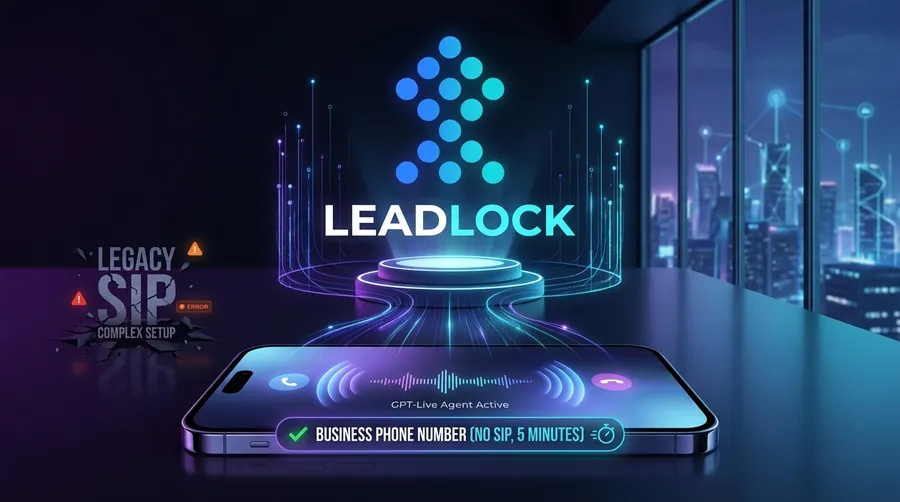
There’s a faster path. Leadlock connects GPT-Live to your business phone number in under 5 minutes, with no SIP trunking, no WebSocket server to maintain, and no infrastructure on your side. This guide covers the architecture behind why the no-SIP approach works, how to keep your existing number without porting it, and what GPT-Live actually costs to run per minute when you add up every component.
What Is the Difference Between GPT-Live-1 and the OpenAI Realtime API?
GPT-Live-1 is OpenAI’s phone-optimized full-duplex voice model that runs audio-in to audio-out with no intermediate transcription step, with built-in interrupt handling, voice activity detection tuned for noisy call environments, and telephony-compatible codec support that makes it deployable on a business phone number through a managed platform without writing WebSocket relay code. The OpenAI Realtime API is the underlying infrastructure that GPT-Live runs on.
The practical difference: the Realtime API is more flexible but requires you to build the audio transport layer before you can connect a phone number. GPT-Live ships with that layer pre-built, which is why Leadlock can expose it behind a phone number without requiring infrastructure work on your end. The model’s intelligence is the same; the setup surface is entirely different.
GPT-Live-1 handles full-duplex audio, which means the agent can be interrupted mid-sentence and respond to the new input without losing context. That’s what makes a voice agent sound like a conversation rather than a phone tree. For a detailed comparison of how these two options diverge in real deployments, GPT-Live vs GPT-Realtime: Which OpenAI Voice Model Should You Run? covers the specifics.
Does GPT-Live Require SIP, or Can You Use WebSocket Instead?
GPT-Live does not require SIP: the recommended transport for phone deployments is a WebSocket connection between the telephony bridge and GPT-Live’s audio endpoint, which skips SIP signaling overhead entirely. Fewer hops between the caller and the model means less added delay before the agent answers.
SIP is a signaling protocol designed for enterprise PBX environments. It handles call routing, authentication, and session management across traditional telecom infrastructure. Those capabilities are useful if you’re integrating with a legacy phone system that requires SIP registration. For a new voice agent deployment with no existing PBX to preserve, SIP adds latency and configuration complexity with no benefit to call quality.
The three connection options compared:
- WebSocket (recommended for new deployments): Direct audio stream between the telephony bridge and GPT-Live. Lowest latency, no SIP signaling layer, compatible with any modern telephony API. Leadlock uses this path internally.
- SIP: Required for legacy enterprise PBX systems, carrier-grade PSTN trunks, or phone infrastructure that expects SIP registration. More moving parts, more failure surfaces during setup.
- WebRTC: Browser-to-model path. Useful for in-app voice features, not relevant for business phone numbers.
If you’re starting fresh with GPT-Live on a business phone number, WebSocket through a managed platform is the right architecture. SIP is a solution to a problem a new deployment doesn’t have.
What Do You Need Before Setting Up GPT-Live on a Business Phone Number?
Before putting GPT-Live on a business phone number, you need three things: a phone number (new or forwarded from an existing line), a platform that bridges the audio to GPT-Live, and a system prompt that tells the agent how to handle each call type. On the no-code platform path, those three things are sufficient. The DIY path adds a WebSocket relay server, API keys for both OpenAI and Twilio, a public HTTPS endpoint, and the time to wire them together.
On the Leadlock path:
- A Leadlock account (7-day free trial includes 50 voice minutes)
- A system prompt: how the agent greets callers, what it asks, when to escalate or take a message
- A number on your own Twilio account (or imported from GoHighLevel), plus call forwarding if you want to keep an existing number held elsewhere
- About 5 minutes
Pro Tip: Write the system prompt before you open any platform settings. Describe your business in two sentences, list the three call types you receive most often, and specify what the agent should do when it hits a question it can’t answer. That preparation is most of what separates a good agent from a frustrating one.
The DIY path requires more upfront:
- A Twilio account with a provisioned phone number and Media Streams enabled
- An OpenAI API key with GPT-Live-1 access enabled on your account tier
- A Node.js or Python WebSocket relay server to bridge Twilio audio to GPT-Live’s endpoint
- A publicly accessible HTTPS URL (ngrok works for testing; a real server for production traffic)
- Codec negotiation between Twilio’s mulaw audio format and GPT-Live’s expected input format
- Connection error handling, session reconnection logic, and audio buffer management
Both paths connect GPT-Live to a phone number. The difference is what you spend to get there, and what you have to maintain after.
How Do You Put GPT-Live on a Business Phone Number Without Code in 5 Minutes?
Putting GPT-Live on a business phone number through Leadlock takes five steps and no technical background: create an account, write a system prompt, import or forward a number, select GPT-Live as the model, and take a live test call. Leadlock manages the WebSocket bridge, telephony routing, and codec translation internally so none of that infrastructure is visible on your end.
The steps:
- Create a Leadlock account at leadlock.ai. The 7-day free trial includes 50 voice minutes.
- Write a system prompt. This tells the agent how to answer, what to ask callers, when to transfer, and when to take a message. One focused page is enough to start.
- Import or forward a number. Connect your Twilio account and import a number, or import one from GoHighLevel. If you have an existing business number elsewhere, configure call forwarding through your carrier to point inbound calls to that imported number.
- Select GPT-Live from the model dropdown. Gemini Live, Grok Voice, and OpenAI Realtime are also available on the same platform if you want to compare behavior or cost across models before committing.
- Make a test call and iterate. Call the number from your own phone. Adjust the system prompt based on what you hear. Most agents reach production quality after one or two test iterations.
No WebSocket server to maintain. No ngrok tunnel. No relay code to write. For a side-by-side comparison of this approach versus the full developer build, Deploy OpenAI GPT-Realtime-2 to a Phone Number Without SIP in 5 Minutes documents both paths in detail.
Can You Keep Your Existing Business Phone Number When Deploying GPT-Live?
You can keep your existing business phone number when deploying GPT-Live by forwarding inbound calls from your current carrier to the number you’ve imported into Leadlock; the GPT-Live agent answers, your customers reach the same number they always have, and no porting or service interruption is required. This gap is significant: every major tutorial for deploying GPT-Live to a phone number assumes you’re provisioning a fresh Twilio number and skips the far more common case of keeping a current number.
Call forwarding works regardless of your carrier. The process is straightforward:
- Locate call forwarding settings in your carrier’s admin portal or phone system configuration
- Forward unanswered calls (or all calls) to the number you’ve imported into Leadlock
- Callers dial your original number; the Leadlock GPT-Live agent picks up
Two details worth knowing before you set this up:
- Forwarding adds 1-2 rings of perceived delay. For most business inbound use cases, this is imperceptible to callers. For emergency dispatch or time-critical pickup requirements, factor it in.
- Outbound caller ID shows the imported number. If outbound calls need to show your original number, port that number to your Twilio account and import it into Leadlock.
Forwarding is fully reversible. Disable it through your carrier settings and your original setup is restored immediately. For businesses testing before committing to a full deployment, that reversibility is the practical advantage over porting.
How Much Does It Cost to Run GPT-Live on a Business Phone Number?
Running GPT-Live on a business phone number through Leadlock costs $0.33/min on the Pro plan ($497/month), $0.36/min on Agency ($297/month), and $0.39/min on Starter ($97/month), all-in for the model and voice with no separate billing for GPT-Live model fees or platform overhead. Phone numbers and carrier minutes are billed by your own Twilio account (about $0.013/min inbound and $1.15/month per local number at Twilio’s published US rates), so Pro inbound runs about $0.343/min. On raw per-minute cost the DIY path comes in lower; what it adds is hosting, engineering time and maintenance.
| Path | Per-Minute Rate | What’s Covered |
|---|---|---|
| Leadlock Starter | $0.39/min + about $0.013/min Twilio | GPT-Live model and voice; telephony on your own Twilio account |
| Leadlock Agency | $0.36/min + about $0.013/min Twilio | GPT-Live model and voice; telephony on your own Twilio account |
| Leadlock Pro | $0.33/min + about $0.013/min Twilio | GPT-Live model and voice; telephony on your own Twilio account |
| DIY (Twilio + OpenAI Realtime) | ~$0.25-$0.35/min + hosting | Model + carrier; server and engineering not included |
| Vapi (comparable setup) | $0.15-$0.33/min real | Platform fee plus STT, LLM, TTS billed separately |
| Retell (comparable setup) | $0.13-$0.20/min real | Voice engine plus add-ons billed separately |
The DIY math: raw OpenAI Realtime API model fees run $0.18-$0.24/min for a typical inbound call. Add Twilio at $0.02-$0.05/min and the arithmetic comes to roughly $0.20-$0.29/min, or about $2,000-$2,900 per 10,000 minutes, before a hosted server, the engineering time to set it up and maintain it, and any platform overhead.
Vapi advertises $0.05/min as a platform fee. Once you add STT, LLM, TTS, and telephony sourced separately, the real all-in cost lands at $0.15-$0.33/min. The advertised number was always the platform fee, not the bill.
If your use case is cost-sensitive and you’re not specifically tied to GPT-Live’s voice characteristics, Gemini Live and Grok Voice on Leadlock run at $0.12/min on Pro. They handle the same receptionist, booking, and triage scenarios for less. You can switch models per agent in the dashboard without rebuilding anything.
Why Does the Architecture Behind GPT-Live Matter for How Calls Sound?
GPT-Live’s speech-to-speech architecture eliminates the transcription step that creates perceptible pauses in traditional voice AI: audio goes in, audio comes out, with no intermediate STT-to-LLM-to-TTS chain. Orchestration-layer platforms make three separate API calls per turn, and each hop adds delay.
The architecture difference produces three effects that callers notice:
- No transcription hop before the agent responds. The model hears the caller’s audio directly, so there is no separate speech-to-text step to wait on. Reply speed still depends on the model you pick: on Leadlock, Grok is the fastest we have measured, replying in about a third of a second (median of 461 live turns, measured September 2026).
- Natural interruption handling. Full-duplex audio lets the agent respond immediately when a caller cuts in mid-sentence, because there’s no transcription buffer to flush. Orchestration-layer platforms stutter on interruptions.
- Tone and prosody carry through. Audio-in, audio-out preserves how something is said alongside what is said. STT converts the caller’s voice to text at the first step, stripping the emotional signal before it reaches the model.
For the full breakdown of how these two architectures perform in production, Speech-to-Speech vs Speech-to-Text-to-Speech: Why Architecture Matters for AI Voice Agents in 2026 covers the latency, quality, and cost comparisons in depth.
Ready to get GPT-Live on your business number today? Leadlock connects GPT-Live to your existing phone number in 5 minutes, from $0.33/min on Pro for the model and voice (telephony on your own Twilio account), no SIP, no code. Book a 15-minute call with Dan.
Building with Claude Code? The Leadlock Agent Kit is a library of Claude Code skills that build, test and tune Leadlock voice agents through the API.
Frequently Asked Questions
Q: Does GPT-Live require SIP, or can I use WebSocket instead?
SIP is not required for GPT-Live. The recommended transport for phone deployments is WebSocket, which skips the SIP signaling layer entirely, so there are fewer hops between the caller and the model. Managed platforms like Leadlock use WebSocket by default. SIP is only necessary for legacy PBX environments that require SIP registration.
Q: What is the difference between GPT-Live-1 and the OpenAI Realtime API?
GPT-Live-1 is a phone-optimized full-duplex voice model with built-in telephony codec support, interrupt handling, and voice activity detection tuned for call environments. The OpenAI Realtime API is the underlying infrastructure. The Realtime API requires you to build the audio relay layer yourself; GPT-Live is designed to connect directly to a managed telephony bridge without custom WebSocket relay code.
Q: How much does it cost to run GPT-Live on a business phone number?
On Leadlock, GPT-Live costs $0.39/min on Starter, $0.36/min on Agency, and $0.33/min on Pro, all-in for the model and voice with no separate model charges. Phone numbers and carrier minutes are billed by your own Twilio account (about $0.013/min inbound). The DIY path (Twilio plus OpenAI Realtime API directly) runs roughly $0.25-$0.35/min in raw component costs before hosting and engineering time are factored in.
Q: Can I use GPT-Live with my existing business phone number?
Yes. Forward inbound calls from your existing number to the number you’ve imported into Leadlock using your carrier’s standard call forwarding settings. No porting is required, there is no service interruption, and nothing changes for customers who dial your current number. Forwarding is fully reversible through your carrier settings at any time.
Q: Do I need Twilio specifically, or will any telephony provider work?
When building the integration yourself, Twilio is the most documented path because OpenAI’s GPT-Live tutorials target Twilio Media Streams. Other carriers that support WebSocket-based media streaming can work, but documentation and community support are thinner. On Leadlock, you connect your own Twilio account (or import numbers from GoHighLevel) once, and the platform handles the media streaming and the model bridge from there.
Q: Can I set up GPT-Live on a phone number without writing code?
Yes, through Leadlock. The no-code setup takes 5 minutes: create an account, write a system prompt, import or forward a number, and select GPT-Live as the model. No WebSocket server, no relay code, no infrastructure configuration required. The developer path through Twilio and OpenAI directly requires writing and hosting a relay server.
Q: What happens when two callers reach the GPT-Live agent at the same time?
Each inbound call gets its own GPT-Live session, so simultaneous callers are handled separately without any setup on your end. The practical ceiling comes from your Twilio account and the model provider’s limits.
See It Book a Real Job
Voice agents that book into ServiceTitan and GoHighLevel, live today for home-service brands. Book 15 minutes with Dan, or start a 7-day trial from the pricing page.
Book a 15-minute call with Dan