Layer-by-layer guide to fixing ASR errors, latency spikes, hallucinations, and turn-taking failures in production voice agents. Includes cost breakdown.
- The industry median voice AI response time is 1.4-1.7 seconds at P50, five times above the 300ms threshold for natural conversation, and 68% of customers abandon calls when it feels sluggish (Hamming AI).
- Before touching any code, isolate which layer owns the failure: pull the raw transcript, timestamp each pipeline stage, and test in silence to separate acoustic from model-level issues.
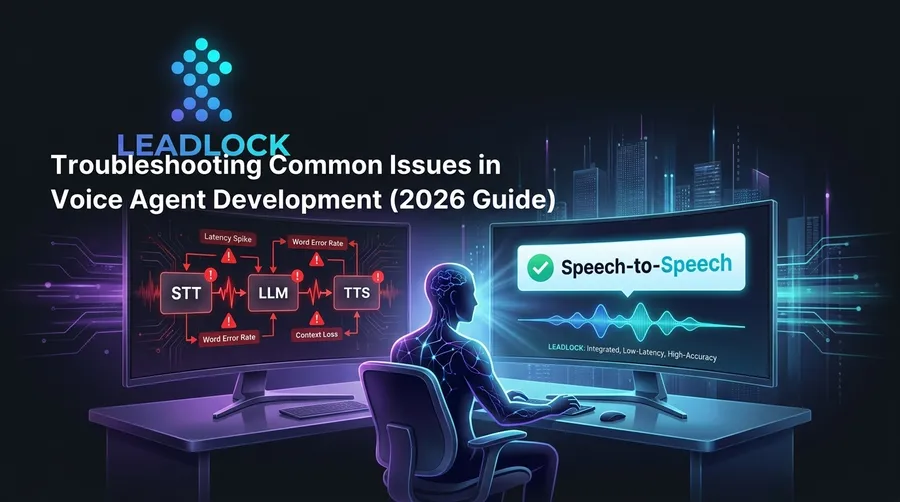
- Orchestration-layer pipelines (STT → LLM → TTS) compound delays across three API calls before telephony overhead. Leadlock’s speech-to-speech architecture has no handoff chain, and replies in about 300ms on Grok.
- Real all-in cost on pipeline platforms is 2-6x the advertised rate once STT, LLM, TTS, and telephony are added. Leadlock starts at $0.12/min all-in on Gemini Live and Grok Voice with no separate component fees.
Voice agent development breaks in predictable ways. The ASR misreads an accent. Latency spikes to three seconds mid-conversation. The LLM hallucinates a refund policy it was never trained on. The agent talks over the caller.
None of these failures are mysterious once you know where to look. They fall into six categories, each with a measurable root cause and a known fix.
This guide covers every common failure category in voice agent development, how to isolate which layer of the stack is at fault before touching any code, and when the fix is a configuration change versus an architectural one. Where relevant, we’ll note how Leadlock’s true speech-to-speech architecture eliminates entire failure categories at the infrastructure level rather than papering over them at the configuration layer.
Why Do Most AI Voice Agent Projects Fail?
Most AI voice agent projects fail because of three compounding problems: latency long enough for callers to notice, ASR transcription errors that cascade through the entire downstream pipeline, and orchestration-layer architectures that compound delays across three separate API calls before any network overhead is added. All three are measurable, isolatable, and fixable if you know where to look.
Hamming AI’s analysis of 4M+ production voice agent calls puts the industry median voice AI response time at 1.4-1.7 seconds at P50. At P95, that number climbs to 4.3-5.4 seconds. At P99, it reaches 8.4-15.3 seconds, which is complete conversation breakdown. The 300ms threshold is not arbitrary: humans are neurologically wired for it, and exceeding it triggers stress responses that make the interaction feel broken even when every component technically functions.
ASR errors are the second major failure driver. Hamming AI’s debugging research identifies transcription errors as the leading cause of intent classification failures in production. When STT converts “cancel my subscription” to “counsel my description,” no downstream LLM prompt fix recovers the correct intent.
The third is architecture. The orchestration-layer model (STT, then LLM, then TTS) compounds delays at every handoff. AppInventiv’s production analysis puts the compounded pipeline delay at 700-3,100ms before telephony overhead. That’s before your carrier adds another 200-800ms.
How to Isolate the Root Cause Before Touching Code
Before adjusting any prompt, swapping a model, or tweaking noise-suppression settings, establish which layer of the stack is responsible for the failure, because ASR errors, LLM reasoning failures, TTS delays, and telephony issues all produce similar symptoms on the surface but require completely different fixes with no overlap.
Follow this sequence:
- Pull the raw transcript. If the transcript shows correct user input but a wrong response, the problem is the LLM or the prompt, not ASR. If the transcript shows garbled input, ASR owns it.
- Timestamp each stage. Log time from ASR completion to LLM first token, from first token to TTS output, and from TTS to telephony delivery. This identifies which component owns the latency budget.
- Test in silence. Run the same utterance with no background noise. If accuracy improves significantly, the issue is acoustic, not model-level.
- Test with a reference utterance. Use a scripted, clearly enunciated phrase. If that still fails, the problem is your ASR configuration or model choice, not user behavior.
- Check downstream API response times. If the LLM calls a backend tool (CRM lookup, calendar API), a slow external call looks identical to LLM latency. Isolate it by mocking the API call and comparing response times.
- Review error rate by intent. High error concentration on specific intents signals a training data gap, not a systemic failure.
Pro tip: Track out-of-scope query rate as a leading indicator. Hamming AI recommends flagging any query where top-intent confidence falls below 0.4. A rising out-of-scope rate typically precedes a jump in complaint volume by one to two weeks.
This isolation sequence applies whether you’re building on a pipeline platform like Vapi, Retell, or Bland, or building directly on model APIs. The six steps don’t change because the architecture layers don’t.
Speech Recognition Accuracy and ASR Errors
ASR transcription errors are the most common root cause of intent classification failures in production voice agents, meaning when the agent misunderstands a caller’s words, no amount of LLM tuning or prompt engineering will recover the correct response. Diagnosing whether the error is acoustic, vocabulary, or model-configuration-driven is the required first step before attempting any fix.
Hamming AI identifies three root causes: out-of-vocabulary terms (product names, medical terminology, proper nouns), acoustic noise, and language or dialect mismatch. Out-of-vocabulary errors appear as phonetically similar substitutions. Noise errors appear as dropped words or garbled phrases. Dialect errors show up as systematic mistranscriptions on specific phonemes.
Fixes by cause:
- Out-of-vocabulary: Add a custom vocabulary or phonetic hints in your ASR configuration. Most providers support word boost or custom model fine-tuning.
- Noise: Apply noise suppression upstream of ASR, not after. Cleaning the audio stream at the source is more effective than trying to recover accuracy post-transcription.
- Dialect or accent: Switch ASR models. Most providers offer models tuned for specific regional accents. Test with representative audio samples from your actual caller population, not generic benchmarks.
- Batch vs. streaming: Using batch ASR in a real-time conversation adds delay on every turn. Switch to streaming ASR. The latency difference is not a marginal improvement.
One critical note on evaluation: optimizing for Word Error Rate alone is insufficient. MarkTechPost’s 2025 evaluation framework identifies task success rate (TSR), barge-in detection accuracy, and hallucination-under-noise (HUN) rate as the metrics that predict whether the agent actually completes the user’s goal. A low WER with a high HUN rate still produces a broken conversation.
Latency and Pipeline Delays
Latency in a voice agent is the delay from the end of a user’s utterance to the first audio output of the agent’s response, and the target window for natural conversation is 300ms. According to Hamming AI’s analysis of 4M+ production calls, 68% of customers abandon calls when the system feels sluggish, and the industry median is 1.4-1.7 seconds at P50, far above that threshold.
Here’s where the time goes in a typical orchestration-layer pipeline, drawn from Vapi’s published latency breakdown and AppInventiv’s production data:
| Pipeline Stage | Typical Latency Range | Primary Cause |
|---|---|---|
| Telephony/carrier | 200-800ms | Legacy PSTN equipment |
| Streaming ASR | 40-300ms | First-token delay |
| LLM reasoning | 100-400ms | Model size, no token streaming |
| Business logic/tools | 100-800ms | Slow downstream APIs |
| Neural TTS | 50-250ms | Non-streaming synthesis |
| Total pipeline | 490-2,550ms | Compounds at every handoff |
Leadlock’s true speech-to-speech architecture collapses that table to a single step. Audio In routes directly to a native multimodal model (Gemini Live, Grok Voice Think Fast or OpenAI Realtime) and Audio Out delivers the response. Leadlock agents reply in about a third of a second on Grok (median of 461 live turns, measured September 2026). There is no STT-to-LLM-to-TTS handoff chain because the architecture doesn’t have one.
For teams running on pipeline platforms, the highest-leverage optimizations in order:
- Switch from batch to streaming ASR
- Enable token streaming on the LLM output
- Switch to streaming TTS (chunked synthesis, not wait-for-full-response)
- Co-locate model inference and TTS in the same region as your telephony endpoint
- Mock slow external API calls in testing to isolate whether business logic or model inference owns your latency budget
For a deeper look at why the pipeline architecture is a structural problem rather than a configuration issue, see The Orchestration Layer Problem: Why Most AI Voice Agents Sound Robotic in 2026.
AI Hallucinations and Response Accuracy
AI hallucinations in voice agents occur when the model generates a response that is factually incorrect, outside the defined scope, or contradicts the system prompt, and they are the most damaging failure type in production because callers often accept incorrect information in real time without flagging it as an error.
The root causes split into two buckets:
Prompt hallucinations: The model invents information not present in the prompt (pricing, policies, features) because the prompt has ambiguous constraints or the user’s question falls outside the defined domain. Fix: add explicit “I don’t have that information” instructions for out-of-scope queries, and define boundary conditions for every topic the agent should not address.
Context hallucinations: The model contradicts itself across a multi-turn conversation because the context window doesn’t hold enough history. Fix: ensure the conversation history window is large enough for your average call length, and periodically summarize state into a structured format the model can reference reliably.
Tactics that reduce hallucination in production:
- Add explicit negative constraints (“Do not discuss pricing unless the caller directly asks”)
- Use a retrieval layer for factual information rather than encoding facts into the system prompt
- Set a fallback path: if confidence is low, the agent says “Let me connect you with someone who can confirm that” rather than guessing
- Run hallucination-under-noise tests with realistic background audio, not clean recordings
Context and Conversation Flow Management
Voice agents lose context when conversation history is truncated, when state isn’t carried across turns, or when the agent treats each utterance as a standalone request rather than part of an ongoing dialogue. This leads to callers repeating themselves and agents contradicting statements made earlier in the same call.
Common symptoms in production:
- The agent asks for the caller’s name twice in a single call
- The agent forgets a confirmed appointment time it collected two minutes earlier
- The agent references a different session’s context in concurrent-call deployments (context bleed)
The most common technical root cause is a context window that fills before the call ends. A 10-minute call generates a substantial transcript. If the model’s context window exhausts and you aren’t summarizing or pruning strategically, the beginning of the call drops out.
Fixes:
- Implement rolling summarization: at regular intervals, collapse the oldest turns into a structured summary that’s prepended to each new prompt
- Separate state from dialogue: maintain a structured session object (caller name, intent, collected data fields) that’s updated explicitly rather than inferred from the raw transcript
- Test with long calls: most QA suites use 2-3 turn conversations. In production, failure modes typically appear after turn 10 or later
Interaction Problems and Turn-Taking
Turn-taking failures happen when the agent speaks over the caller before they finish, when the agent waits too long to respond after the caller stops talking, or when both parties attempt to speak simultaneously and neither backs off cleanly. These failures degrade perceived quality faster than almost any other issue because they make the agent feel broken rather than merely wrong.
AssemblyAI identifies turn detection as one of the three core technical challenges in voice agent development alongside latency and context management.
The two failure modes and their fixes:
Barge-in failures (agent won’t stop talking): Barge-in requires voice activity detection (VAD) running concurrently with TTS playback. If VAD is disabled during output, the agent cannot detect interruptions at all. Enable it. Set the detection threshold conservatively: too aggressive and background noise triggers false interruptions; too lenient and the caller has to raise their voice to break in.
Endpointing failures (agent responds before the caller finishes): Endpointing latency needs to be tuned for your caller population. Trailing speech patterns (“um,” “uh,” “you know”) and fast talkers create false endpoints. Extend the silence detection window and add pause tolerance appropriate for your deployment context.
Vapi’s pipeline configuration documentation covers the specific parameters: startSpeakingPlan, speech activity detection thresholds, and backoffSeconds are the primary levers for turn-taking tuning on orchestration-layer platforms.
Background Noise and Acoustic Environment Handling
Background noise degrades ASR accuracy in two ways: it masks the caller’s voice by reducing signal-to-noise ratio, and it introduces false voice-activity detection events that interrupt turn management and confuse the agent’s processing pipeline. Deployments to field workers, drivers, and retail environments fail at higher rates than lab conditions suggest because lab testing rarely captures real ambient noise profiles.
Common noise sources in production:
- Driving (engine noise, wind, road surface)
- Public spaces (restaurants, retail environments, construction sites)
- Home environments (television, children, HVAC systems)
- Call center floors (adjacent agent conversations, hold music bleed)
Effective fixes at the configuration level:
Apply noise suppression upstream of ASR. Cleaning the audio before transcription preserves accuracy better than any post-processing approach. Most ASR providers expose noise suppression parameters in their configuration. Enable them by default in any deployment that targets non-office environments.
For voice activity detection, use energy levels alongside spectral content analysis. Energy-only VAD misclassifies sustained-frequency noise (HVAC hum, engine idle) as speech. Spectral tracking distinguishes voice from most environmental noise types.
Test with real-world audio samples from your target caller population. Record 20-30 sample calls in representative environments and run your ASR against them before deployment. This step catches the majority of acoustic failures before they reach callers.
What It Costs to Stack Third-Party STT, LLM, and TTS Vendors
The real all-in cost of a pipeline voice agent deployment is 2-6x the advertised platform rate once you add streaming ASR, LLM inference, neural TTS, and telephony as separate billing line items, and this cost pressure typically forces an architectural conversation well before the platform’s homepage pricing would suggest it was necessary.
The math on the major orchestration-layer platforms:
- Vapi: advertised $0.05/min platform fee. Add streaming ASR ($0.01-0.04/min), LLM inference ($0.02-0.10/min), TTS ($0.01-0.05/min), telephony ($0.01-0.03/min). Real all-in: $0.15-0.33/min.
- Retell: advertised $0.07/min. Real all-in: $0.13-0.20/min, plus add-ons for knowledge base, batch calls, branded caller ID, and PII removal.
- Synthflow: advertised $0.09/min. Real all-in: $0.15-0.24/min.
- Bland: bundled $0.11-0.14/min depending on tier, plus transfer fees, SMS fees, and TTS add-ons.
Beyond the monthly bill, there is a second cost: each vendor handoff is an additional failure point. ASR latency variance affects LLM processing timing. LLM output format affects TTS phrasing and pacing. Any component change requires retesting the full pipeline.
Leadlock’s all-in pricing eliminates both costs. Gemini Live and Grok Voice Think Fast run at $0.12/min all-in, which covers the model and voice synthesis with no separate STT, LLM or TTS fees. Phone numbers and carrier minutes are billed by your own Twilio account (about $0.013/min inbound and $1.15/month per local number at Twilio’s US rates). OpenAI Realtime runs at $0.20/min all-in. ElevenLabs runs at $0.15/min all-in. One rate for the model and voice, one platform, one place to look when something breaks.
For the full cost breakdown across platforms, see AI Voice Agent Platform Pricing in 2026: Real Cost Breakdown.
Related how-to guide: Tune turn-taking and VAD so your agent starts talking at the right time.
Frequently Asked Questions
Q: Why do most AI voice agent projects fail?
Most voice agent projects fail because of latency exceeding the 300ms conversational threshold, ASR transcription errors cascading through the pipeline, and orchestration-layer architectures that compound delays across three API calls. Hamming AI’s analysis of 4M+ production calls shows the industry median response time is 1.4-1.7 seconds at P50, roughly five times slower than what humans require for natural conversation.
Q: What are the biggest challenges in AI voice agent implementation?
The three core challenges are achieving sub-300ms latency through streaming ASR and optimized model selection, handling interruptions and turn detection accurately across diverse caller environments, and maintaining conversation context across multi-turn sessions without context truncation. AssemblyAI and Vapi identify these three as the primary barriers from first-party platform experience.
Q: What causes integration issues in AI voice systems?
Integration issues most commonly come from slow downstream API calls (CRM, calendar, EHR) that look identical to LLM latency from the outside, webhook reliability failures that cause missed or duplicate events, and authentication errors in multi-vendor stacks. Isolate by mocking the external API call and measuring response time before and after. If response time drops significantly, the integration, not the model, owns the failure.
Q: How can businesses improve AI voice agent reliability?
Improve reliability by switching from batch to streaming ASR, enabling token streaming on the LLM, co-locating inference and telephony endpoints in the same region, tuning VAD thresholds for your specific caller population, and monitoring P95 latency rather than average latency. Average latency hides the tail events (the slowest 5% of calls) that drive abandonment and complaints.
Q: What is the latency budget for real-time voice calls?
The effective latency budget for natural conversation is 300ms from the end of the user’s utterance to the agent’s first audio output. Beyond that, 68% of customers abandon calls when the system feels sluggish. Leadlock routes Audio In directly to the multimodal model without STT and TTS as separate pipeline stages, and replies in about 300ms on Grok (median).
Q: Can I make a voice AI agent GDPR- or HIPAA-compliant?
Yes, but both require work at the platform level, not just the application level. GDPR compliance requires explicit consent before recording, data residency controls, and a documented data processing agreement with your voice platform provider. HIPAA compliance requires a Business Associate Agreement with each vendor in your audio processing chain, PHI data minimization, and audit logging for every call. Leadlock is not HIPAA compliant and does not sign a BAA, so a healthcare use case that involves patient health information needs a vendor that signs one. For a detailed walkthrough, see AI Voice Agents for Healthcare in 2026: HIPAA-Compliant Patient Communication Guide.
Ready to skip the debugging cycle on a three-step pipeline? Leadlock delivers true speech-to-speech voice agents with about 300ms replies on Grok, all-in from $0.12/minute, live in five minutes. Book a 15-minute call with Dan.
See It Book a Real Job
Voice agents that book into ServiceTitan and GoHighLevel, live today for home-service brands. Book 15 minutes with Dan, or start a 7-day trial from the pricing page.
Book a 15-minute call with Dan